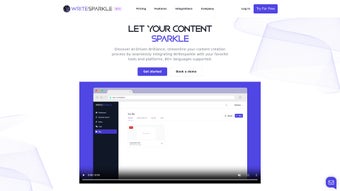

Download WriteSparkle – AI‑Powered Content Creation Tool
Introduction & Overview
In a digital world where speed, accuracy, and multilingual reach are non‑negotiable, WriteSparkle arrives as a game‑changing AI‑powered content creation tool. Built to blend effortlessly with the apps you already use, WriteSparkle supports more than 80 languages and works across communication, productivity, and social‑media platforms. Whether you’re drafting a blog post, summarizing a long report, or extracting key points from a meeting transcript, WriteSparkle lets you “chat” with your documents in natural language, delivering instant drafts, summaries, and data snippets.
The platform’s semantic search lets you type a question and retrieve relevant passages from any connected file, turning massive knowledge bases into searchable assistants. Integration is the name of the game – Google Drive, Slack, Gmail, Notion, Trello, and dozens of other services are just a click away. And despite its powerful AI core, WriteSparkle remains completely free to download and use without the need for credit‑card details, making it accessible to freelancers, marketers, and enterprise teams alike.
This review walks through the core features, installation steps, system compatibility, strengths, weaknesses, and the most common questions asked by users, giving you a clear picture of whether WriteSparkle is the right tool for your content workflow.
Key Features & Functionalities
- AI‑driven content generation in over 80 languages.
- Document chat interface – ask questions, request rewrites, or get summaries.
- Semantic search across all linked files using natural language queries.
- Automated workflows that connect WriteSparkle with favorite apps (Zapier‑style).
- Deep integrations with Google Drive, Slack, Gmail, Microsoft 365, Notion, Trello, and more.
- One‑click export to Word, PDF, Markdown, or directly to publishing platforms.
- Real‑time collaboration – multiple users can interact with the same document.
- Secure cloud storage with end‑to‑end encryption.
- Free tier with unlimited AI queries; premium plans unlock higher throughput and priority support.
- Built‑in plagiarism checker and SEO scoring for blog‑post drafts.
The heart of WriteSparkle is its conversational AI engine, which understands context and can produce content that matches your brand voice. For marketers, the SEO scoring feature instantly flags keyword density, readability, and meta‑tag suggestions, reducing the back‑and‑forth with editors. Content teams benefit from the collaborative workspace where teammates can annotate, approve, or request changes directly inside the chat interface.
The automated workflow builder is particularly powerful: set a trigger such as “new file added to Google Drive → generate a summary → post to Slack channel,” and the system handles the rest, freeing up valuable time. Security‑conscious businesses will appreciate that all data in transit is encrypted with TLS 1.3, and at rest it’s stored in a GDPR‑compliant data center. Finally, the free tier removes the barrier to entry, allowing anyone to test the AI capabilities before committing to a paid plan.
These features combine to make WriteSparkle a versatile, future‑proof content engine that adapts to both individual creators and large enterprises.
Getting Started – Installation, Compatibility & Usage
Installation Process
Installing WriteSparkle is intentionally straightforward. Visit the official website, click the “Download for Windows/macOS/Linux” button, and the installer begins automatically. For mobile users, the app is available on the Google Play Store and Apple App Store – just search “WriteSparkle” and tap Install. Once the installer finishes, launch the application and sign in with a Google or Microsoft account; this single sign‑on method syncs your existing cloud files and grants immediate access to integrated services.
Operating System Compatibility
WriteSparkle runs on the latest versions of Windows 10/11, macOS Monterey and later, as well as popular Linux distributions (Ubuntu 20.04+, Fedora 34+). The mobile app supports Android 8.0+ and iOS 13+. Because the core engine lives in the cloud, even older hardware can use the service through a web browser (Chrome, Edge, Firefox, Safari) without installing a native client. This cross‑platform flexibility ensures that teams using mixed operating systems can collaborate without friction.
First‑Time Configuration
After signing in, you’ll be prompted to connect your preferred cloud storage and communication tools. The integration wizard walks you through authorizing Google Drive, OneDrive, Dropbox, Slack, and Gmail with just a few clicks. Once connected, WriteSparkle automatically indexes your documents, making them searchable within seconds. You can also create custom “workspaces” to group related files – for example, a “Marketing Campaign” workspace that pulls in all assets from Google Drive, drafts from Notion, and feedback threads from Slack.
Using the Document Chat
To start a conversation with a document, simply open the file in WriteSparkle and type your request in the chat bar at the bottom. Example prompts include: “Summarize this 10‑page report in 200 words,” “Rewrite this paragraph to sound more conversational,” or “Generate three meta descriptions for this blog post.” The AI responds instantly, and you can refine the output by replying with follow‑up instructions such as “Make the tone more formal” or “Add a call‑to‑action at the end.” All edits are saved automatically, and you can export the final version to your preferred format or push it directly to a publishing platform via the built‑in integrations.
Pricing & Offers
0.00 WriteSparkle’s core features are available for free with unlimited AI queries. Premium plans start at 9.99 USD per month, unlocking higher request limits, priority processing, and advanced analytics. All plans include a 14‑day money‑back guarantee.
Pros and Cons – A Balanced View
Pros
- Free tier with no credit‑card requirement lowers entry barrier.
- Supports 80+ languages, ideal for global teams.
- Natural‑language document chat makes content creation intuitive.
- Robust integrations with Google Workspace, Microsoft 365, Slack, and more.
- Semantic search turns large document libraries into instant knowledge bases.
- Cross‑platform availability – desktop, web, Android, iOS.
- Secure encryption and GDPR compliance protect sensitive data.
- Automated workflow builder reduces manual repetitive tasks.
- Built‑in SEO scoring and plagiarism checker add extra value for marketers.
- Collaborative workspace supports real‑time teamwork.
Cons
- AI output may need human editing for highly technical or brand‑specific copy.
- Free tier limits advanced analytics and priority support.
- Workflow automation, while powerful, has a learning curve for new users.
- Performance can vary on slower internet connections due to cloud processing.
- Some niche integrations (e.g., proprietary CMS) are not yet supported.
Overall, the advantages of WriteSparkle far outweigh the drawbacks, especially for teams that value speed, multilingual capabilities, and seamless integration. The few limitations are typical for a SaaS product still expanding its ecosystem, and the company’s roadmap promises regular updates to address them.
FAQ – Frequently Asked Questions
Is WriteSparkle really free to use?
Yes. The core AI‑driven content creation features are completely free and do not require a credit‑card. Premium plans are optional and add higher usage limits, priority processing, and advanced analytics.
Which operating systems does WriteSparkle support?
WriteSparkle works on Windows 10/11, macOS Monterey and later, major Linux distributions, as well as Android 8.0+ and iOS 13+. A web version is also available for any modern browser.
How does the document‑chat feature handle large files?
The AI processes large files in the cloud, breaking them into manageable sections. You can ask for a summary of a 50‑page report, and WriteSparkle will return a concise overview within seconds, without overloading your local machine.
Can I integrate WriteSparkle with my existing project management tools?
Absolutely. WriteSparkle offers native integrations with Trello, Asana, Jira, and ClickUp. You can set up automated actions such as “when a new card is created, generate a draft brief using AI.”
Is my data safe when using WriteSparkle?
Yes. All data is encrypted in transit with TLS 1.3 and stored at rest in GDPR‑compliant data centers. WriteSparkle does not retain copies of your content beyond the processing session unless you explicitly save them.
Conclusion & Call to Action
WriteSparkle stands out as a robust, AI‑enhanced content creation platform that balances power with accessibility. Its ability to converse with documents, search semantically, and integrate with the tools you already use makes it a compelling choice for freelancers, marketing teams, and large enterprises alike. The free tier removes financial risk, while premium upgrades provide scalability for high‑volume users. If you’re looking to accelerate content production, improve multilingual reach, and streamline collaborative workflows, give WriteSparkle a try today. Download WriteSparkle now and experience a smarter way to write.






